
Custom Software Development Cost in 2026: A Realistic Pricing Guide
Custom Software Development Cost in 2026: A Realistic Pricing Guide
 Deepanshu

Summarize with AI
Not enough time? Get the key points instantly.


Table of Contents
So, How Much Does Custom Software Development Actually Cost in 2026?
What’s Actually Included in the Cost
What Actually Moves the Price
Cost by Software Type
Cost by Development Team Model
Fixed Price vs. Time and Material vs. Dedicated Team
The Costs That Don’t Show Up in the First Quote
How to Actually Estimate the Cost
Reducing Cost Without Cutting Corners
How to Actually Compare Quotes
How Lumestea Approaches This
FAQs
The Bottom Line
Almost every founder or CTO conversation we have at Lumestea starts with some version of the same question: what’s this going to cost? It’s a fair thing to ask before you commit budget to a build. It’s also, in a slightly annoying way, the wrong first question — because there’s no single number that applies to every software project, and anyone who quotes you one before understanding your business is guessing.
A five-screen internal tool that logs employee expenses is not the same undertaking as a multi-tenant SaaS platform, an ERP system tying finance and inventory together, or an AI-powered recommendation engine. On a one-page proposal, all three can look “medium-sized.” In actual engineering effort, they can be five times apart.
By 2026, “custom software” rarely means just building screens anymore. Clients expect scalable architecture from day one, clean UX, some degree of automation, AI-readiness, real-time dashboards, third-party integrations, cloud infrastructure that won’t fall over under load, and a security posture that can survive an audit. All of that changes the estimate before a single line of code is written.
So instead of starting with “how many screens do you need,” a realistic estimate starts with the business workflows, the user roles, the data involved, the integrations, and how the product needs to hold up over the next few years. That’s the approach we take with startups, SMEs, and growing enterprises at Lumestea, and it’s the approach this guide walks through — how much custom software actually costs in 2026, what moves the number up or down, what most quotes leave out, and how to plan a budget that doesn’t fall apart three months into the build.
So, How Much Does Custom Software Development Actually Cost in 2026?
Short version: anywhere from around $3,000 for a simple internal tool to well over $100,000 for a complex enterprise platform, SaaS product, or AI-heavy system. Neither end of that range is unusual — they’re just describing completely different projects.
To make that less abstract, here’s how a typical engagement tends to break down:
| Software Project Type | Indicative Cost Range | Typical Timeline |
| Simple internal business tool | $3,000 – $8,500 | 6–12 weeks |
| Mid-level custom web application | $8,500 – $21,000 | 3–5 months |
| Customer-facing web or mobile platform | $16,000 – $42,000 | 4–8 months |
| SaaS product or subscription platform | $21,000 – $63,000+ | 5–10 months |
| ERP, CRM, or enterprise workflow platform | $36,000 – $156,000+ | 8–18+ months |
| AI-enabled or heavily integrated software | $31,000 – $208,000+ | Depends on scope |
Note: These are planning ranges in USD. Actual cost depends on scope, integrations, platforms, security, development model, and post-launch support requirements.
Treat these as planning ranges, not quotes. Two projects can look nearly identical from the outside and land in very different bands once you actually dig into integrations, user roles, data flows, security requirements, and business logic.
A five-screen dashboard is a good example of how deceptive “simple” can be. If it just displays static numbers, it’s a quick build. The moment it needs real-time analytics, role-based permissions, three different data sources, AI-driven recommendations, and automated alerts, it’s a different project wearing the same five screens.
So the more useful question isn’t “what’s the average cost of custom software development?” It’s “how much engineering effort does this specific product actually need?” That distinction matters even more for SaaS products, where early architecture decisions — multi-tenancy, billing structure, how you handle scale — are hard to walk back later without a rebuild, something we go into more in our piece on SaaS architecture decisions you can’t easily undo.
What’s Actually Included in the Cost
Software development cost isn’t just “the cost of writing code.” A proper estimate covers planning, design, engineering, testing, deployment, infrastructure, security, and the support that comes after launch. Leaving any of these out of a quote doesn’t make the project cheaper — it just moves the cost to a later invoice you didn’t see coming.
It starts with discovery — understanding the business goals, the user roles, the workflows, and the technical constraints before anyone opens an editor. Skipping this stage is the single biggest reason projects run over budget later; unclear requirements have a way of surfacing halfway through a sprint, usually as a scope change nobody budgeted for.
UI/UX design is the next chunk — user flows, wireframes, interface design, prototypes, a proper design system, and layouts that behave on every screen size. This is often treated as a nice-to-have, but good design quietly reduces support tickets, training time, and user drop-off, which is exactly the kind of thing worth reading about in our take on UX trends shaping 2026.
Then there’s development itself — frontend, backend, database architecture, APIs, authentication, admin panels, dashboards, and whatever business logic makes the product actually do its job. If mobile is in scope, add iOS, Android, or cross-platform development on top.
Most projects also lean on third-party integrations — payment gateways, CRM or ERP systems, accounting tools, email and SMS providers, maps, AI APIs, video calling, logistics platforms, or healthcare systems. Some of these are a day’s work; others, particularly anything touching an ERP or a legacy system, can eat weeks.
Quality assurance is where a lot of quotes quietly get thin. Real QA covers functional testing, cross-browser and cross-device checks, integration testing, performance testing, security testing, and user acceptance testing. Cutting corners here shrinks the invoice today and inflates it later, usually right after launch.
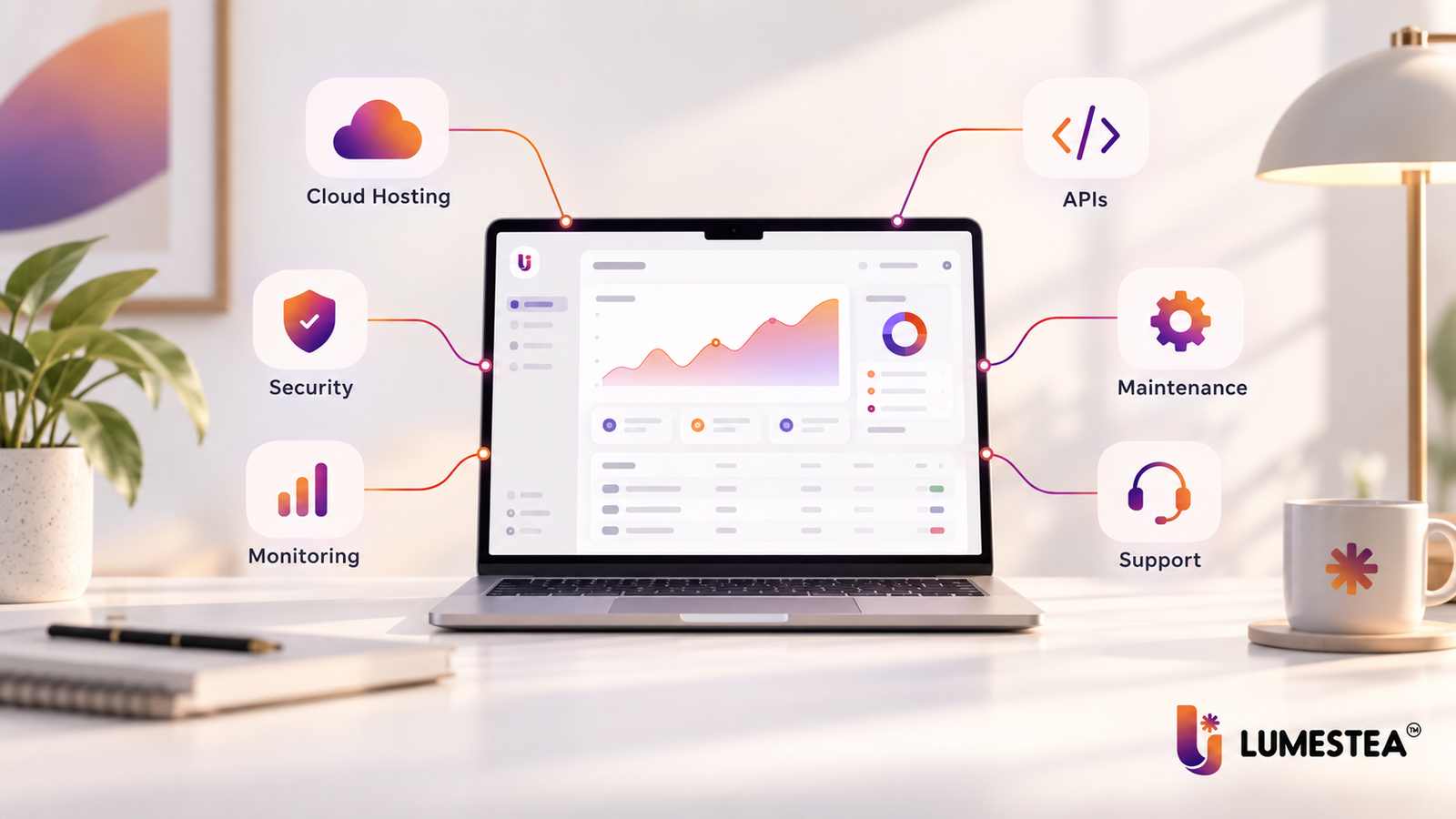
Deployment brings its own line items — servers, cloud setup, domains, databases, SSL, environment configuration, CI/CD pipelines, backups, and monitoring. And once the product is live, someone still has to fix bugs, patch security holes, update dependencies, tune performance, and build the next round of features.
A good estimate spells out exactly what’s covered and what isn’t. That’s the only way to compare two vendor quotes honestly instead of comparing two different definitions of “done.”
What Actually Moves the Price
Feature count gets blamed for cost more than it deserves. In practice, engineering complexity drives the number far more than how many things are on the feature list — a single small feature can cost more than ten simple ones if it touches sensitive data or has to talk to a difficult third-party system.
Scope and how well it’s defined. A product with clear workflows and defined boundaries is easy to estimate. A product where “we’re still figuring it out” is the answer to half the requirements questions is not — and that ambiguity gets priced in, one way or another. Multiple user roles, approval chains, dashboards, reporting, automation, and audit trails all add real engineering hours, which is exactly why deciding what belongs in release one and what can wait matters so much.
How complex the actual logic is. A CRUD app — create, read, update, delete — is a fundamentally different build from something involving automation, AI models, rules engines, or real-time data processing. A basic inventory tracker and a demand-forecasting platform that talks to suppliers, warehouses, and sales orders while predicting stock levels might both get called “inventory software” in a sales call. They are not the same project.
How many platforms you’re building for. One web app costs less than web plus iOS plus Android plus a partner portal plus a customer portal. Each additional platform adds its own design, build, test, and maintenance cycle. Unless there’s a clear business reason, building for every platform on day one is usually premature.
What you’re integrating with. Integrations are one of the easiest places for a quote to blow up. A payment gateway is often close to plug-and-play. An ERP connection, a legacy system handshake, or a healthcare data integration can take far longer, depending on API quality, documentation, authentication method, and how much data mapping and error handling is required. Businesses leaning heavily on CRM or ERP connections should look at how we approach this in our CRM and ERP solutions work.
How polished the design needs to be. An internal admin panel doesn’t need the same design investment as a customer-facing SaaS product, marketplace, or fintech dashboard. Custom interactions, accessibility work, interactive charts, onboarding flows, and multi-step journeys all add design hours — and, done well, they also reduce how much your support team has to explain later.
Security and compliance requirements. Anything handling sensitive data needs proper authentication, authorization, encryption, role-based access, secure APIs, audit logging, and a real backup policy. Healthcare, fintech, and enterprise products carry extra weight here. OWASP recently refreshed its well-known Top 10 list of critical web application risks for the first time since 2021, and the update shifted focus toward access control failures, misconfiguration, and supply-chain issues — a reminder that most breaches still come from basic gaps, not exotic attacks. Security isn’t a line item you bolt on later; it has to be part of the architecture from the start if the product touches financial data, health data, or user identity.
Data migration. A lot of custom software exists to replace spreadsheets, old databases, or a patchwork of disconnected tools. Moving that data over takes real planning — volume, data quality, duplicates, field mapping, and whether it has to happen without downtime all affect the effort. This comes up constantly in healthcare projects, which we cover in more depth in modernizing legacy systems in healthcare.
Scalability and performance needs. Twenty internal users is a different engineering problem from ten thousand customers hitting the system at once. Getting there might mean cloud architecture, caching, queues, database tuning, a CDN, and load testing. It costs more upfront and saves you from a much more expensive fire later.
Who’s building it, and where. A full team can include a business analyst, UI/UX designer, frontend and backend developers, mobile developers, a QA engineer, DevOps, a project manager, and sometimes an AI/ML specialist. Rates vary a lot by geography and seniority. Clutch’s most recent pricing data puts typical software development companies at $24–$49 an hour, with full projects commonly landing between $10,000 and $49,000 — though that’s an average across a wide range of project sizes, not a ceiling. In our own quoting experience, junior developers tend to sit around $15–$25 an hour, mid-level engineers in the $25–$45 range, and senior architects well above that. Location matters, but it shouldn’t be the only factor you weigh — communication quality, process discipline, security practices, and what happens after launch matter just as much as the hourly number.
Specialized technology. Projects involving AI, machine learning, computer vision, voice AI, AR, IoT, or real-time communication need specialized engineering, and that shows up in the estimate. This space is also moving fast — GitHub’s 2025 Octoverse report noted that TypeScript overtook Python and JavaScript in mid-2025 to become the most-used language on the platform for the first time in over a decade, and repositories embedding LLM SDKs grew nearly 180% year over year. That pace of change is exactly why AI-enabled builds need a team that’s actively working in this space, not one that picked it up from a course last year. For businesses exploring this territory, our AI and emerging tech work is a reasonable starting point.
Timeline pressure. A tighter deadline doesn’t automatically cost less — often the opposite. Compressing a schedule usually means more developers working in parallel, more coordination overhead, and a real risk of technical debt if scope isn’t trimmed to match.
What happens after launch. Software doesn’t stop needing attention once it ships. Maintenance, dependency updates, monitoring, patches, and the next round of feature requests are all part of owning the product, not optional extras — which is why a serious budget covers both the build and what comes after.
Cost by Software Type
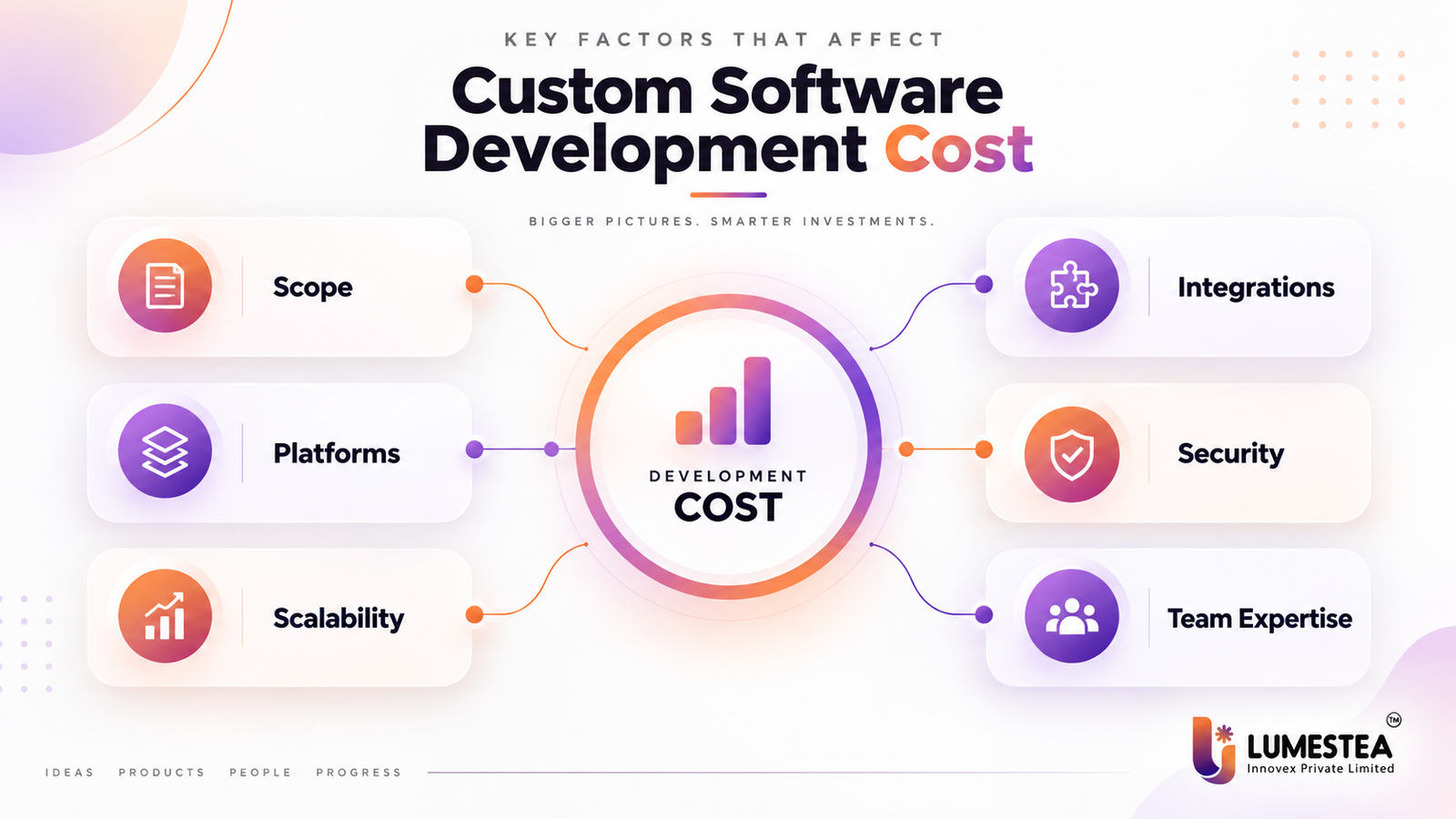
Different categories of software solve different problems, and that shows up directly in the price tag.
| Software Type | Indicative Cost Range | Complexity |
| Internal business application | $3,000 – $16,000 | Low to moderate |
| Custom CRM software | $8,500 – $36,000+ | Moderate |
| E-commerce platform | $10,500 – $47,000+ | Moderate to high |
| SaaS platform | $21,000 – $78,000+ | Moderate to high |
| ERP software | $36,000 – $156,000+ | High |
| Logistics and transportation software | $21,000 – $83,000+ | Moderate to high |
| Healthcare software | $26,000 – $156,000+ | High |
| Fintech software | $36,000 – $208,000+ | High |
| Enterprise software platform | $52,000 – $313,000+ | High to very high |
| AI-enabled software | $31,000 – $208,000+ | Depends on AI scope |
Note: These are planning ranges in USD. Actual cost depends on scope, integrations, platforms, security, development model, and post-launch support requirements.
An internal business application — employee management, task tracking, approvals, inventory logs — stays affordable as long as the workflows are genuinely simple. Add too many exceptions and approval chains, and “simple” stops applying.
A custom CRM costs more because it’s carrying customer records, lead pipelines, sales tracking, communication history, task management, reporting, and usually a couple of marketing or email integrations on top.
An e-commerce platform brings its own list — product catalog, search, checkout, payments, shipping, order management, customer accounts, promotions, and inventory sync. Machine learning can sharpen product recommendations and personalization here, which we’ve explored in machine learning in e-commerce.
A SaaS platform needs extra planning up front because subscriptions, multi-tenant architecture, billing, permissions, onboarding, and infrastructure that scales cleanly all have to be designed correctly the first time — retrofitting multi-tenancy after launch is a genuinely painful rebuild.
ERP software sits near the top of the complexity scale because it’s stitching together finance, procurement, inventory, sales, HR, and manufacturing into one system. If automation is part of the picture, our guide on ERP AI chatbots in 2026 is worth a look.
Healthcare and fintech software tend to cost more across the board — not because the screens are fancier, but because security, audit logging, compliance, and reliability requirements are non-negotiable rather than nice-to-haves. Our healthcare solutions page goes deeper into what that looks like in practice.
AI-enabled software genuinely doesn’t have one fixed price band, because “AI-enabled” can mean a lightweight wrapper around an existing AI API, or it can mean a custom retrieval-augmented system, predictive analytics, computer vision, or voice AI built from scratch. The scope of the AI work, not the label, is what sets the number.
Cost by Development Team Model
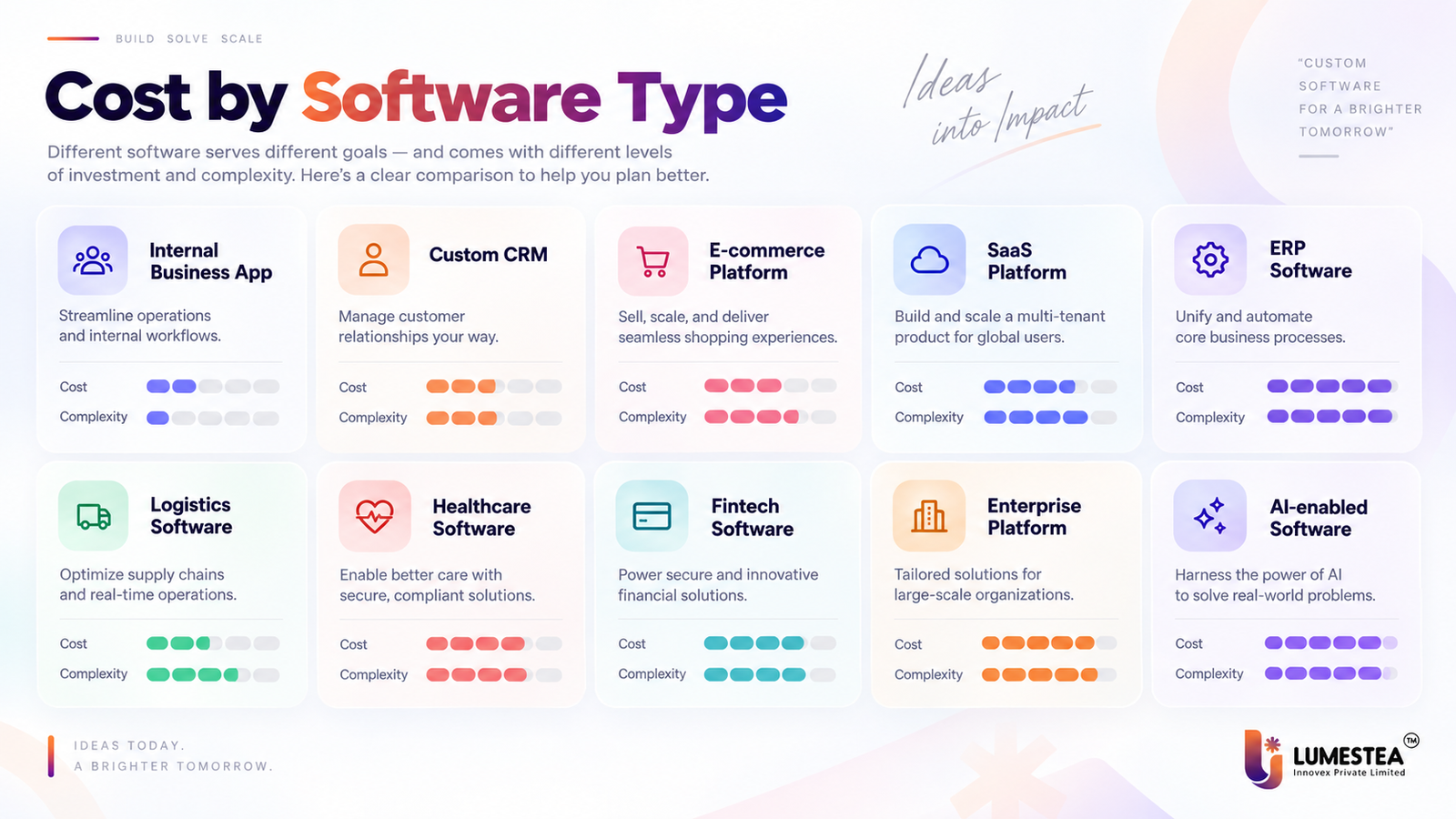
Who builds your software affects cost, control, and flexibility just as much as what you’re building.
| Development Model | Cost Structure | Best For |
| In-house team | Salaries, hiring, tools, infrastructure, management | Long-term product ownership |
| Local agency | Project-based or hourly pricing | Businesses wanting managed development |
| Offshore development team | Lower regional rates with external delivery | Cost-conscious teams needing experienced developers |
| Dedicated development team | Monthly team-based engagement | Long-term, evolving products |
| Freelancers | Hourly or fixed task-based pricing | Small, well-defined tasks |
In-house teams give you direct control, but the bill doesn’t stop at salaries — hiring, benefits, tooling, management overhead, and retention all add up. This model tends to work best for companies with continuous product development needs and strong technical leadership already in place.
A software development company bundles discovery, design, development, QA, DevOps, and support under one engagement, which simplifies delivery considerably compared to coordinating five separate vendors.
Offshore teams can lower cost meaningfully, but it’s worth actually evaluating communication quality, documentation practices, security standards, and time-zone overlap rather than assuming cheaper automatically means riskier — or safer. Our offshore development guide covers what to check before committing.
A dedicated team suits products that keep evolving after launch. Freelancers are a good fit for small, narrow tasks, but rarely enough on their own for a serious product that needs architecture decisions, QA discipline, DevOps, and support that outlasts the first release.
Fixed Price vs. Time and Material vs. Dedicated Team
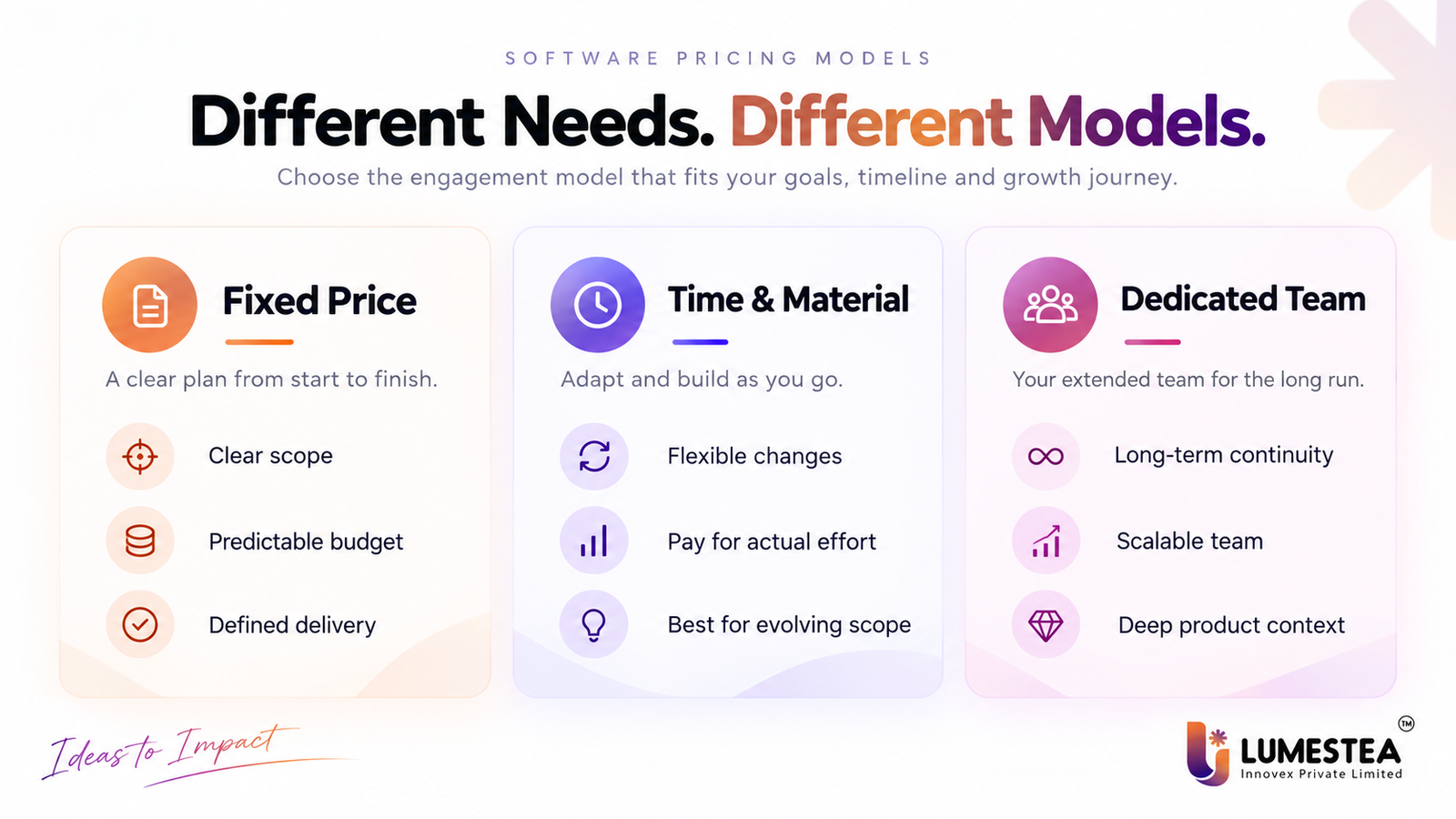
The pricing model you choose decides who carries the risk when requirements shift.
| Pricing Model | How It Works | Best For |
| Fixed Price | Scope and price agreed before development starts | Clearly defined projects |
| Time and Material | You pay for actual effort at agreed rates | Projects where requirements may evolve |
| Dedicated Team | A team works continuously for a monthly or agreed period | Long-term product development |
Fixed price gives you budget predictability, and it works well when scope, deliverables, and acceptance criteria are genuinely settled going in. It gets uncomfortable fast when new requirements show up mid-build.
Time and material trades that predictability for flexibility — a better fit when the product is still evolving or the right technical approach needs to be discovered along the way rather than locked in upfront.
A dedicated team makes sense when the product isn’t a one-time build but an ongoing thing that will need new features, support, and technical evolution well past launch.
None of these is universally “best.” The right call depends on how clear your requirements already are, how long the engagement will run, and how much flexibility you actually need versus how much certainty you want. Our engagement and pricing models page walks through how we structure this for different clients.
The Costs That Don’t Show Up in the First Quote
The build cost is not the full cost of owning software — it’s just the first invoice.
Hosting and infrastructure keep running after launch: servers, databases, storage, bandwidth, backups, monitoring, and logging. If you’re on AWS, the AWS Pricing Calculator is a genuinely useful way to get a real number here instead of guessing.
Third-party APIs rarely stay free once you’re past a trial tier — payment gateways, SMS and email providers, maps, AI APIs, video calling, analytics, and identity verification services usually bill monthly or per usage.
Security and monitoring are ongoing work, not a one-time setup: error tracking, uptime monitoring, vulnerability management, backups, and access reviews all need someone watching them continuously.
Maintenance covers the unglamorous but necessary stuff — bug fixes, browser and OS compatibility, framework updates, performance tuning, and the improvements that come out of actual user feedback.
Future development is almost guaranteed. As the business grows, so does the list of workflows, reports, integrations, and features people ask for.
A budget that only accounts for the initial build and ignores all of this isn’t really a budget — it’s a down payment.
How to Actually Estimate the Cost
A reliable estimate starts with scope and effort, not a gut-feel number pulled from a similar-sounding project.
As a rough formula: estimated cost = effort × team rate + third-party and infrastructure costs.
The hard part is estimating effort honestly, and the only way to do that well is to break the project into modules — user journeys, features, integrations, platforms, security work, QA scope, deployment tasks, and post-launch support — rather than pricing the whole thing as one blob.
Take a customer portal as an example: login, user profiles, dashboards, payments, notifications, reports, an admin panel, support tickets, API integrations, audit logs, and testing. Each of those pieces has a genuinely different effort profile, and lumping them together is how estimates go wrong.
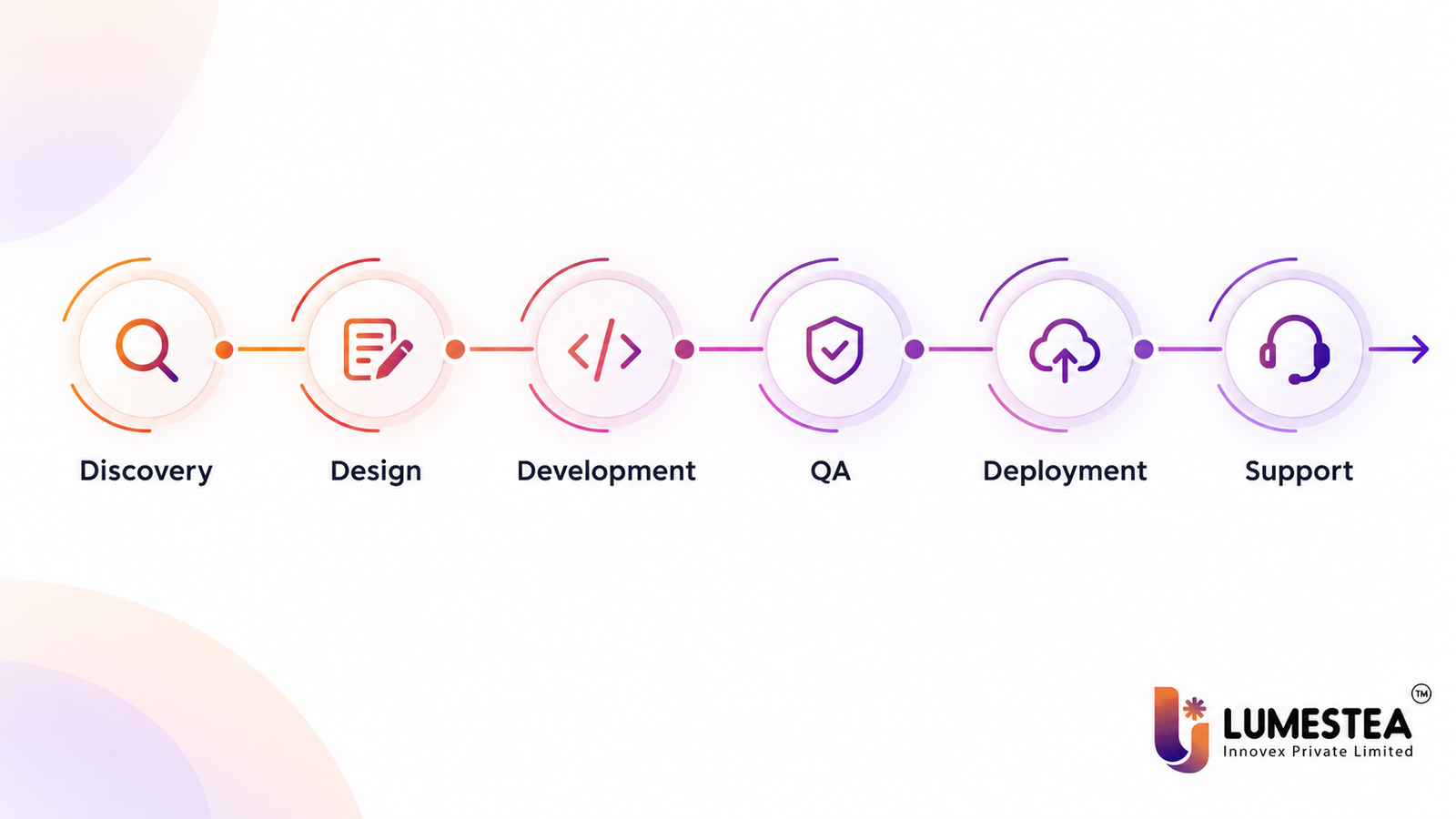
A good estimate separates discovery, design, development, QA, deployment, and maintenance into their own line items. That’s not bureaucracy for its own sake — it’s what lets you see exactly where the budget is going and what changes if the scope does.
And in practice, the strongest estimates only exist after a proper discovery phase. A short one usually pays for itself many times over by catching expensive assumptions before they turn into expensive rework.
Reducing Cost Without Cutting Corners
Cutting software development cost doesn’t have to mean cutting security, testing, or long-term maintainability. Most of the time, it means cutting waste.
Start by defining the first release honestly — build the smallest version that solves the core problem, then expand once real users have given real feedback. This alone prevents months of work on features nobody ends up using.
Prioritize by business value, not by what’s easiest to build. If a feature doesn’t move the needle on the core goal of release one, it can wait for release two without anyone noticing.
Validate before you build. Wireframes and clickable prototypes catch problems while they’re still cheap to fix — much cheaper than catching them in a code review three sprints in.
Reuse proven components where it makes sense. Established frameworks, authentication libraries, payment gateways, and well-supported open-source tools can save real development time without adding real risk, as long as they’re chosen deliberately rather than grabbed at random.
Sort out integrations early. API limitations, missing documentation, and authentication headaches discovered late in a project are one of the most common sources of expensive rework.
Resist the urge to over-engineer. A system should scale for the growth you actually expect, not for a hypothetical future that may never arrive. Enterprise-grade architecture before you’ve validated demand is usually money spent solving a problem you don’t have yet.
And don’t skip QA to save time. Automated tests, regression testing, and clear acceptance criteria cost less than the same bug reappearing four times over six months.
A cheap-looking project that skips these steps rarely stays cheap. Poor architecture and technical debt have a way of showing up later with interest, which is a big part of why we wrote about why software product engineering projects fail.
How to Actually Compare Quotes
The lowest number on a proposal isn’t automatically the best deal. What matters is what’s actually included, not just the total at the bottom.
Look at scope, deliverables, estimated effort, team composition, tech stack, UI/UX coverage, QA process, security coverage, infrastructure setup, ownership terms, support period, change-request policy, and payment milestones — side by side, not just the headline figure.
The real question isn’t “who’s cheapest?” It’s “what exactly am I getting for this price, and what happens when something changes?”
A detailed quote spells out its assumptions clearly. If a vendor hands you a low number without asking much about your actual requirements, that’s usually a sign the real cost is waiting somewhere further down the road. Vendors worth working with tend to ask about your business goals, your users, your workflows, your integrations, and your security and scalability needs before they’ll commit to a price at all.
How Lumestea Approaches This
We estimate custom software development cost by starting with the business problem, not by pulling a number from a category average.
That means understanding business objectives, target users, functional requirements, workflows, platforms, UI/UX scope, backend needs, database structure, integrations, security requirements, architecture, testing scope, deployment needs, and what support looks like after launch — before we put a number on anything.
From there, the project gets broken into actual development tasks, which lets us estimate effort for design, frontend, backend, integrations, QA, DevOps, documentation, and launch support separately. That’s what gives clients a clear picture of what’s included and how the budget shifts if scope does.
If you’re a startup or MSME planning your first version rather than a full-scale platform, we also help with MVP planning and staged development — see our page on custom software development for startups and MSMEs.
Planning a custom software product and need a realistic cost estimate? Lumestea can help you define scope, cut through the uncertainty, and plan a roadmap that actually fits your business goals.
Frequently Asked Questions
1) How much does custom software development cost?
Anywhere from around $3,000 for a simple internal tool to well over $100,000 for a complex enterprise, SaaS, healthcare, fintech, ERP, or AI-enabled platform. The real number depends on scope, integrations, security needs, platform count, complexity, and team structure — not on the software “category” alone.
2) What is the average cost of custom software development?
Honestly, there isn’t a reliable universal average, because every project carries different requirements. A project-specific estimate built from actual workflows, features, architecture, and integrations will always be more useful than a generic average pulled from unrelated projects.
3) How much does software development cost in India?
It varies by company, team seniority, project complexity, and engagement model. Clutch’s current pricing data puts most Indian custom software companies in the $24–$49/hour range, with full projects commonly falling between $10,000 and $49,000 — though junior developers can run closer to $15–$25/hour and senior architects considerably higher. Actual pricing still comes down to scope and delivery requirements.
4) What factors affect custom software development pricing?
Project scope, complexity, number of platforms, integrations, UI/UX requirements, security, data migration, scalability, team composition, technology stack, timeline, and post-launch support all move the number — usually several at once.
5) Is custom software more expensive than off-the-shelf software?
Custom software typically has a higher upfront cost, but it earns that back when off-the-shelf tools don’t actually fit how your business works. Off-the-shelf software looks cheaper at first glance and then adds up through recurring subscriptions, customization limits, and integration workarounds.
6) What hidden costs should businesses expect?
Hosting, third-party APIs, software subscriptions, security monitoring, maintenance, backups, infrastructure scaling, bug fixes, updates, and future feature development — none of which show up in the initial build quote.
7) Which pricing model is best for software development?
Fixed price suits clearly defined projects. Time and material suits projects where requirements are likely to evolve. A dedicated team suits products that need continuous, long-term improvement.
8) How can businesses reduce software development cost?
Define a focused first release, prioritize by business value, validate designs before building, reuse proven components, sort out integrations early, avoid unnecessary complexity, and keep QA in scope rather than cutting it to save time upfront.
The Bottom Line
There’s no single custom software development cost that fits every business — the final number depends on scope, complexity, platforms, integrations, security, data, design, team, infrastructure, and how much support you’ll need after launch.
The smartest approach is estimating from real requirements and actual engineering effort, not a generic industry average. A detailed scope is also what lets you compare vendor quotes properly, catch hidden costs before they surface, and plan for both the build and the years of ownership after it.
The right development partner should help you control cost without quietly weakening the product. In practice, that looks like honest discovery, sensible architecture, a tightly scoped first release, real QA, security built in from the start, and communication you don’t have to chase.
If you’re planning a custom software product in 2026, start with the business problem you’re actually solving, define the first release carefully, and pick a team that’s still going to be there after launch.