

How to Build a Multi-Vendor Marketplace App Like Amazon (Architecture, Features, Stack & Cost)
How to Build a Multi-Vendor Marketplace App Like Amazon (Architecture, Features, Stack & Cost)
 Pushpa
Table of Contents
What is a Multi-Vendor Marketplace?
Marketplace Business Models (Which One Fits You?)
Key Decisions Before You Start Building
Step-by-Step: How to Build an Amazon-Like Marketplace
Must-Have Features (Buyer, Seller, Admin)
Architecture That Scales (Production Patterns)
Recommended Tech Stack
Cost to Build a Marketplace App (Real Drivers)
Launch & Growth Playbook
FAQs
Multi-vendor marketplaces help brands and sellers reach customers faster—without you owning inventory. If you’re planning an “Amazon-style” platform, the real challenge isn’t just listing products. It’s designing seller onboarding, catalog quality, search relevance, payments + payouts, logistics, returns, and the trust layer that keeps buyers coming back.
Ecommerce continues to grow globally—multiple forecasts put worldwide ecommerce sales in the ~$6T+ range in 2025 and climbing through 2028.
1) What is a Multi-Vendor Marketplace?
A multi-vendor marketplace is a platform where multiple sellers list products and fulfill orders, while the platform owner earns via commission, subscriptions, ads, or services. You operate the marketplace engine: discovery, checkout, trust, and operations.
Why founders choose this model:
- Faster supply growth (vendors add inventory)
- Lower inventory risk vs. a single-seller store
- Better unit economics when commissions + subscriptions stack
2) Marketplace Business Models (Pick Your Direction)
Here are common models you can build (and monetize) around:
Horizontal marketplace: many categories across industries (broad reach)
Vertical marketplace: single niche with deeper trust + better conversion
Curated marketplace: stricter vendor onboarding + quality control
Aggregator model: standardization across suppliers under one umbrella
Private marketplace: procurement networks for organizations
Subscription marketplace: vendors pay for visibility + leads
Lumestea tip: Start with one wedge (a niche or region) so search quality, logistics, and vendor compliance are manageable.
3) Key Decisions Before You Start Building
These decisions impact cost and timeline more than UI:
Buyer experience (conversion)
- Fast search + filters
- Clean product pages
- Frictionless checkout
- Clear delivery/returns expectations
Trust + safety (retention)
- Vendor KYC/verification
- Review integrity (verified purchases)
- Fraud detection + abuse controls
- Dispute / refunds workflows
Operations (scaling)
- Seller onboarding + catalog tooling
- Inventory sync strategy (manual → API)
- Shipping integrations vs. self-fulfillment
- Payouts, commissions, and settlements
4) Step-by-Step: How to Build an Amazon-Like Marketplace
Step 1: Define roles + permissions
You will typically have:
- Buyer: browse, buy, track, return
- Seller: list products, fulfill orders, manage inventory, request payouts
- Admin: verify sellers, manage categories/fees, handle disputes, view KPIs
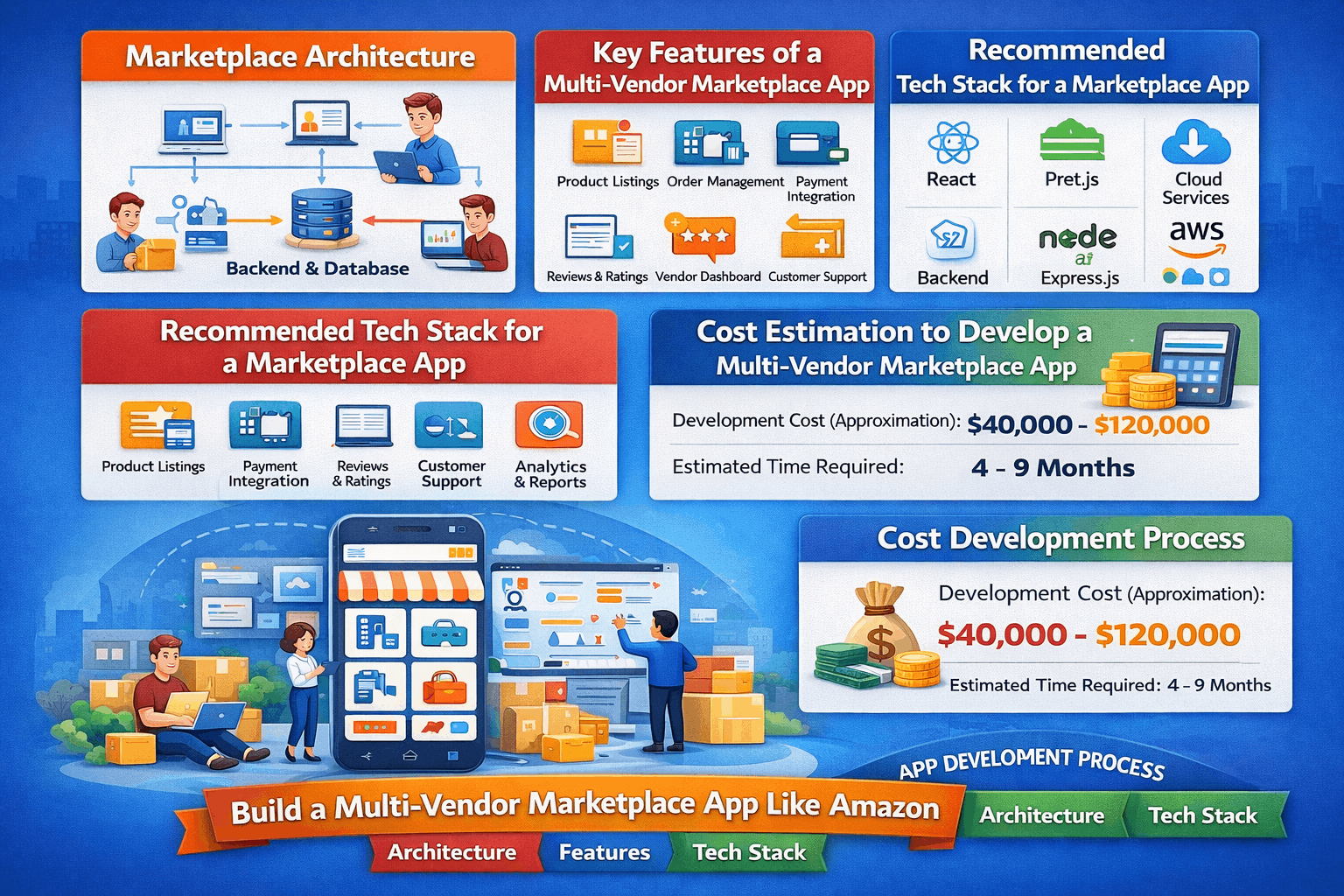
Step 2: Build an MVP that can earn revenue
A strong MVP includes:
- Seller onboarding + basic verification
- Product listing + categories
- Search + filters
- Cart + checkout + payment
- Order tracking + notifications
- Seller dashboard (orders, inventory, payouts)
- Admin dashboard (vendors, commissions, disputes)
Step 3: Add integrations that reduce manual work
- Shipping/carrier integration (labels + tracking)
- Tax/invoicing rules if needed
- Payout provider (scheduled seller settlements)
- Customer support tooling (ticketing + order context)
Step 4: Improve “marketplace quality”
- Catalog standards + moderation
- Duplicate/low-quality listing controls
- Review anti-spam measures
- SLA tracking for sellers (late shipment, cancellations)
5) Must-Have Features (Buyer, Seller, Admin)
Buyer features
- Smart search with filters (price, rating, delivery time, brand)
- Product detail pages (variants, seller info, shipping, returns)
- Wishlist, cart, coupons, multi-address checkout
- Order tracking + returns/refunds
- Notifications (push/email/WhatsApp)
Seller features
- Self-serve onboarding + KYC
- Product/catalog management (bulk import)
- Inventory + pricing + promotions
- Order management (pack/ship/cancel/returns)
- Earnings dashboard + payout history
Admin features
- Vendor verification + risk scoring
- Category/commission management
- Dispute handling (refunds/returns)
- Content moderation + fraud monitoring
- Analytics: GMV, conversion, repeat rate, top sellers
6) Architecture That Scales (Production Patterns)
Marketplaces break at scale when checkout, inventory, and notifications are tightly coupled. Use scalable patterns early:
- API layer for app/web clients
- Core services: identity, catalog, cart, orders, payments, shipping, reviews
- Event-driven workflows (order placed → payment confirmed → notify seller → ship → notify buyer)
- Caching for hot products + search results
- Search engine for fast, faceted search (OpenSearch/Elasticsearch)
- Observability (logs/metrics/traces)
Ecommerce sales growth and increasing platform usage put pressure on reliability and performance—so building for scale early protects both UX and margins.
7) Recommended Tech Stack (Practical & Scalable)
Frontend
- Web: Next.js / React (SEO-friendly product pages)
- Mobile: Flutter or React Native
Backend
- Node.js (NestJS) / Java (Spring Boot) / Django
- REST for transactions; GraphQL optional for discovery
Data
- PostgreSQL (core transactional data)
- Redis (sessions, carts, rate limiting)
- OpenSearch/Elasticsearch (search + facets)
- Object storage + CDN (images, docs)
Infrastructure
- AWS/GCP, Docker + Kubernetes (or managed services)
- CI/CD (GitHub Actions)
- WAF + rate limiting + secrets management
8) Cost to Build a Marketplace App (Real Drivers)
1) Lean MVP — $30k to $65k
Goal: Launch fast, prove the idea works, start onboarding vendors + buyers.
What you get (typical)
Buyer app/web
- Signup/login
- Browse categories + product listing
- Basic search + simple filters (price, category)
- Product detail page (images, price, description)
- Cart + checkout
- Payment gateway integration (1 provider)
- Order tracking (basic statuses)
- Email/SMS notifications (basic)
Seller panel
- Seller registration
- Add/edit products (manual entry)
- Manage inventory (simple stock count)
- View orders + update order status
Admin panel
- Manage categories
- Approvals for sellers/products (basic)
- Commission setup (basic)
- View orders + users
What you usually don’t get in MVP
- Advanced search (typo tolerance, synonyms, faceted search)
- Multiple courier/shipping integrations
- Automated payouts to sellers
- Complex returns/refunds workflows
- AI recommendations, personalization
- High-scale infrastructure (millions of users ready)
Who this is best for
- Early-stage founders validating demand
- One category or one city/region launch
- You’re okay doing some operations manually (especially seller support)
Why it costs this range: You’re building the core engine only—enough to sell, but not everything automated.
2) Growth-Ready Marketplace — $70k to $160k
Goal: Make the marketplace feel “professional,” reduce manual work, and support real growth.
What you get (typical)
Everything from MVP plus:
Better buyer experience
- Faster, smoother UI/UX (optimized browsing)
- Advanced filtering (brand, rating, delivery estimate, etc.)
- Wishlist, coupons, basic offers
- Better product pages (variants like size/color, richer images)
- Abandoned cart reminders (email/WhatsApp/push)
- Improved tracking experience
Seller features
- Bulk product upload (CSV/Excel)
- Better order workflow (pack/ship/labels)
- Sales reports + payout reports
- Basic seller performance metrics
Operations & integrations
- 1–3 shipping/courier integrations (auto tracking updates)
- Payout system setup (monthly/weekly settlements) or payout integration
- Returns/refunds workflow (structured)
- Moderation tools (flagging bad listings, banning sellers)
- Basic fraud controls (duplicate accounts, suspicious orders)
Infrastructure & reliability
- Better server setup, caching, monitoring
- Supports traffic spikes more safely
- Stronger security practices
Who this is best for
- You’ve validated demand or have strong marketing/supply ready
- You want to scale to multiple cities/regions soon
- You want less manual work (operations automation matters now)
Why it costs more: Integrations + automation + moderation + polished UX are the expensive parts—this is where a marketplace starts feeling “real.”
3) Enterprise-Scale Marketplace — $170k to $400k+
Goal: Build a long-term platform like a major marketplace with multi-region scale, automation, and advanced data.
What you get (typical)
Everything in Growth-ready plus:
Scale & multi-region
- Multi-country / multi-currency / multi-tax handling
- Multi-warehouse / multi-fulfillment flows
- High availability (near zero downtime goals)
- Very strong performance under heavy traffic
Advanced marketplace intelligence
- Personalized recommendations (“You may also like…”)
- Smarter search relevance (ranking, synonyms, typo correction)
- Dynamic pricing rules (optional)
- Seller scoring systems + automated enforcement
Deep analytics
- Executive dashboards: GMV, cohort retention, conversion funnels
- Seller KPIs and marketplace health metrics
- Event tracking and BI pipelines
Stronger security & compliance
- More advanced access control, audit logs
- Security testing / pentesting readiness
- Mature compliance processes depending on region/industry
Who this is best for
- Well-funded startups or established businesses
- You need multiple regions and complex operations from day one
- You already expect high traffic and high order volume
Why it’s expensive: You’re paying for scale engineering + automation + data systems + reliability—not just features.
9) Launch & Growth Playbook
- Start with one niche/category or one geography
- Seed supply first (vendors), then run buyer acquisition
- Invest early in SEO-friendly product pages + category pages
- Use referral + first-order offers + cart recovery
- Track funnel metrics: search → product → cart → checkout → repeat purchase
Global ecommerce continues to expand, and forecasts show ongoing growth through 2028—good tailwinds for marketplaces that execute well.
Frequently Asked Questions
1) How long does it take to build a multi-vendor marketplace MVP?
A focused MVP typically takes 10–14 weeks (web + admin + seller basics). Adding shipping, payouts, moderation, and analytics can extend to 4–6 months, depending on scope.
2) Do I need warehouses to run an Amazon-like marketplace?
No. Many marketplaces start with a drop-ship / seller-fulfilled model. Warehousing and fulfillment can be introduced later once volume and unit economics justify it.
3) What’s the minimum budget to start?
A lean MVP commonly starts around $30k–$65k, depending on UX depth, integrations, and whether you need both web + mobile at launch.
4) What tech stack is best for a scalable marketplace?
A common scalable stack is Next.js/React for web, Flutter/React Native for mobile, Node.js/Java backend, PostgreSQL, Redis, and OpenSearch/Elasticsearch.
5) Can one platform support both web and mobile?
Yes. You can use a shared backend and either:
- Build both apps (web + mobile), or
- Launch web + PWA first, then add native apps later.
6) How do we prevent fake reviews and vendor fraud?
Use verified purchase reviews, vendor verification (KYC), device/IP risk signals, return-abuse controls, and automated flags for suspicious activity.
7) What’s the most important feature for conversion?
Usually: fast search + clean product pages + frictionless checkout. Marketplaces live or die by discovery and trust.
8) When should we add AI recommendations?
After you have enough behavioral data (views, carts, purchases). Early on, focus on search relevance and catalog quality first.

Sid did an outstanding job creating and refining the Talk About Prayer brand identity. He delivered high-quality logo designs, complete brand guides, and was always professional, responsive, and open to feedback. Communication was clear and consistent throughout the entire project. I’m really happy with the final results and would definitely work with him again in the future. Highly recommended!

Very serious and got job done in time, would recommend

Good work and worked very hard
Our first time working with Upwork and with foreigners was a pure learning experience, and the work was completed. We continue working on the project. Siddharth and his team were incredibly helpful, and we will definitely work together again.
Working with Siddharth has been a great experience. He’s highly skilled, communicative, and proactive—exactly what you want in a collaborator. He quickly understood our goals and contributed valuable input to help shape the product. I look forward to continuing our collaboration and would definitely recommend him to others.